Adding the SDK and Rich Push Extensions
-
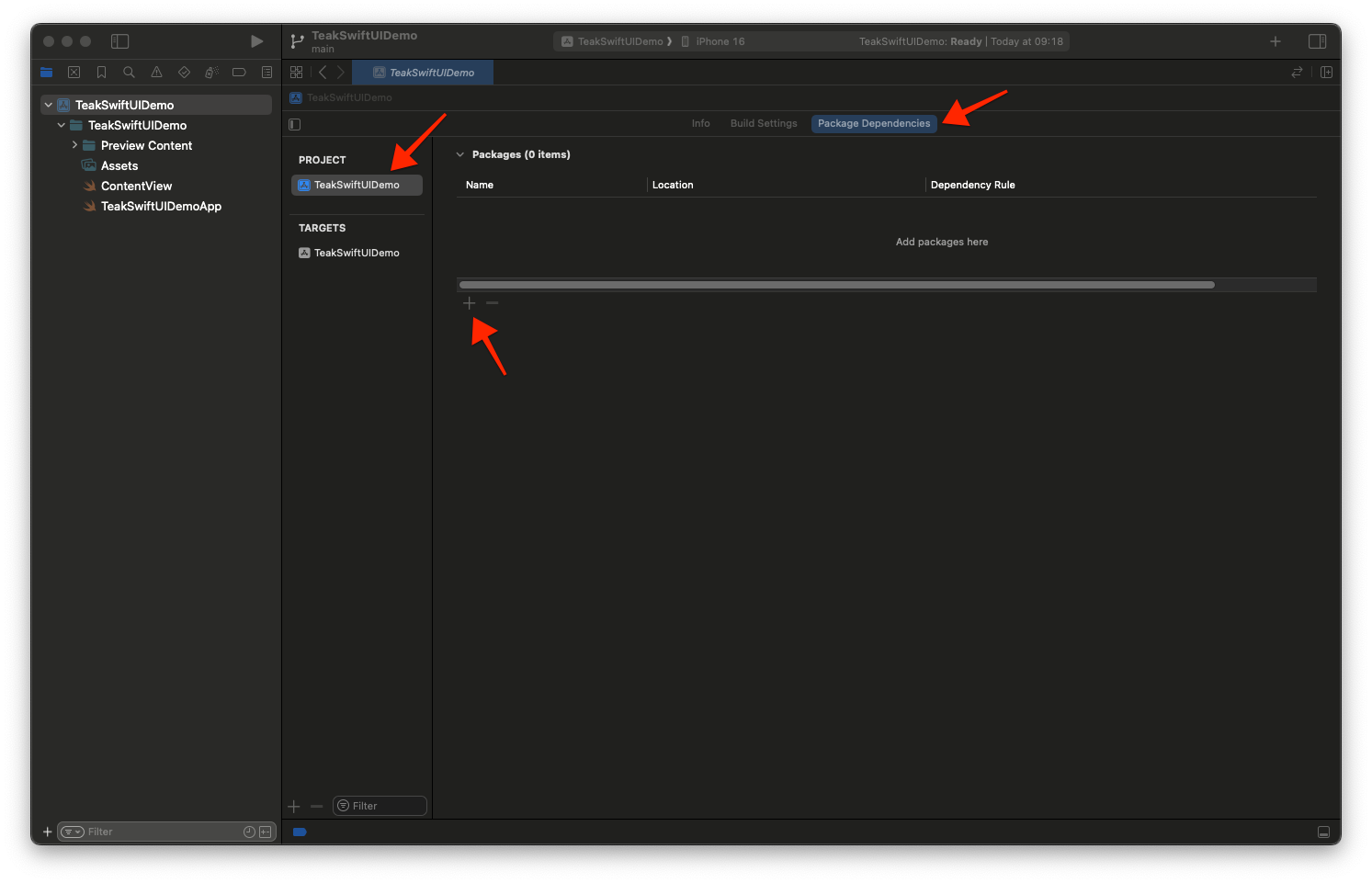
With your Xcode Project open, Select Your Project → Package Dependencies → + button
-
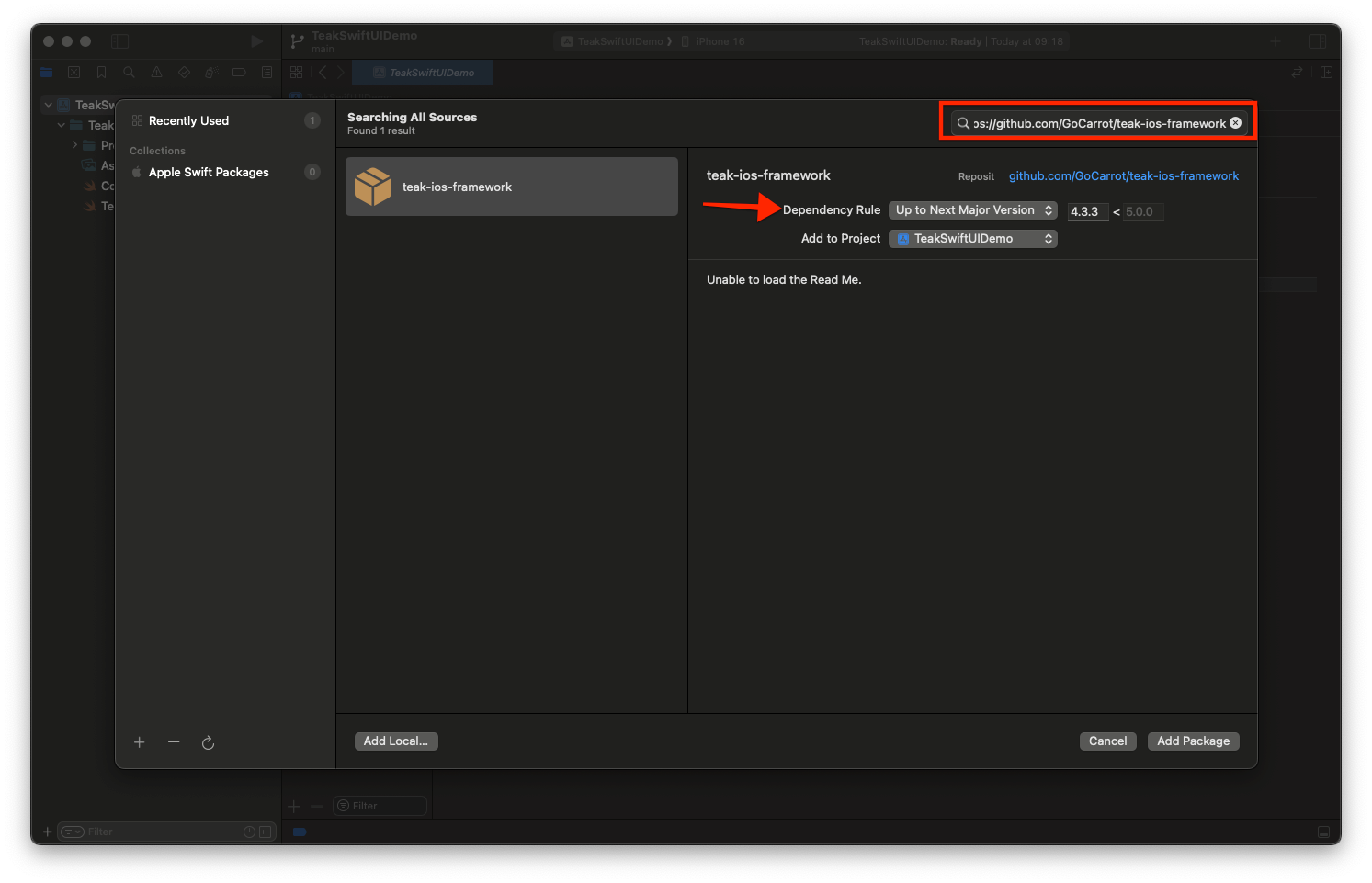
Enter Package URL: https://github.com/GoCarrot/teak-ios-framework
Make sure Dependency Rule is set to Up to Next Major Version
-
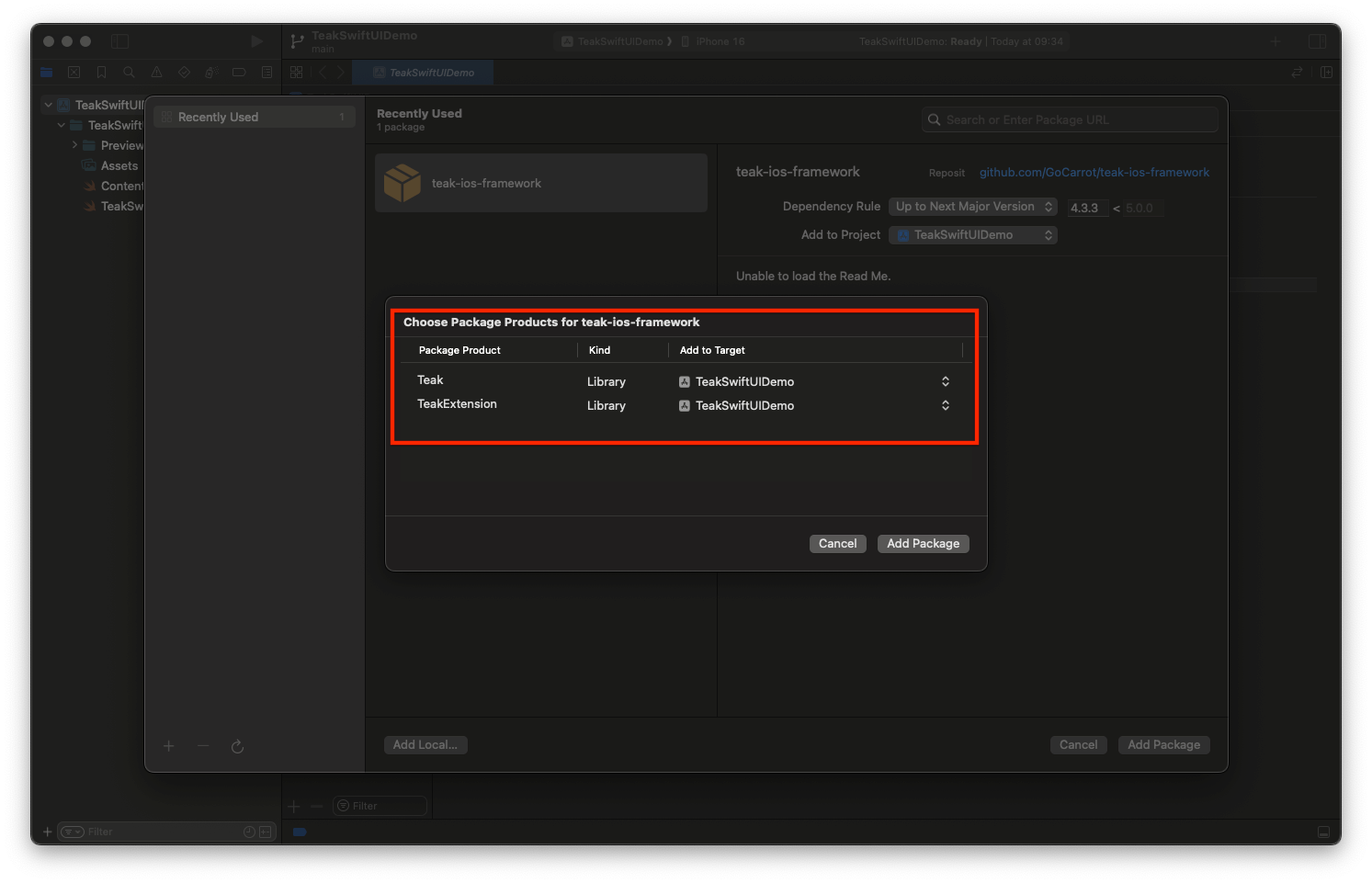
Add the Teak and TeakExtension libraries to your Application Target and click Add Package
-
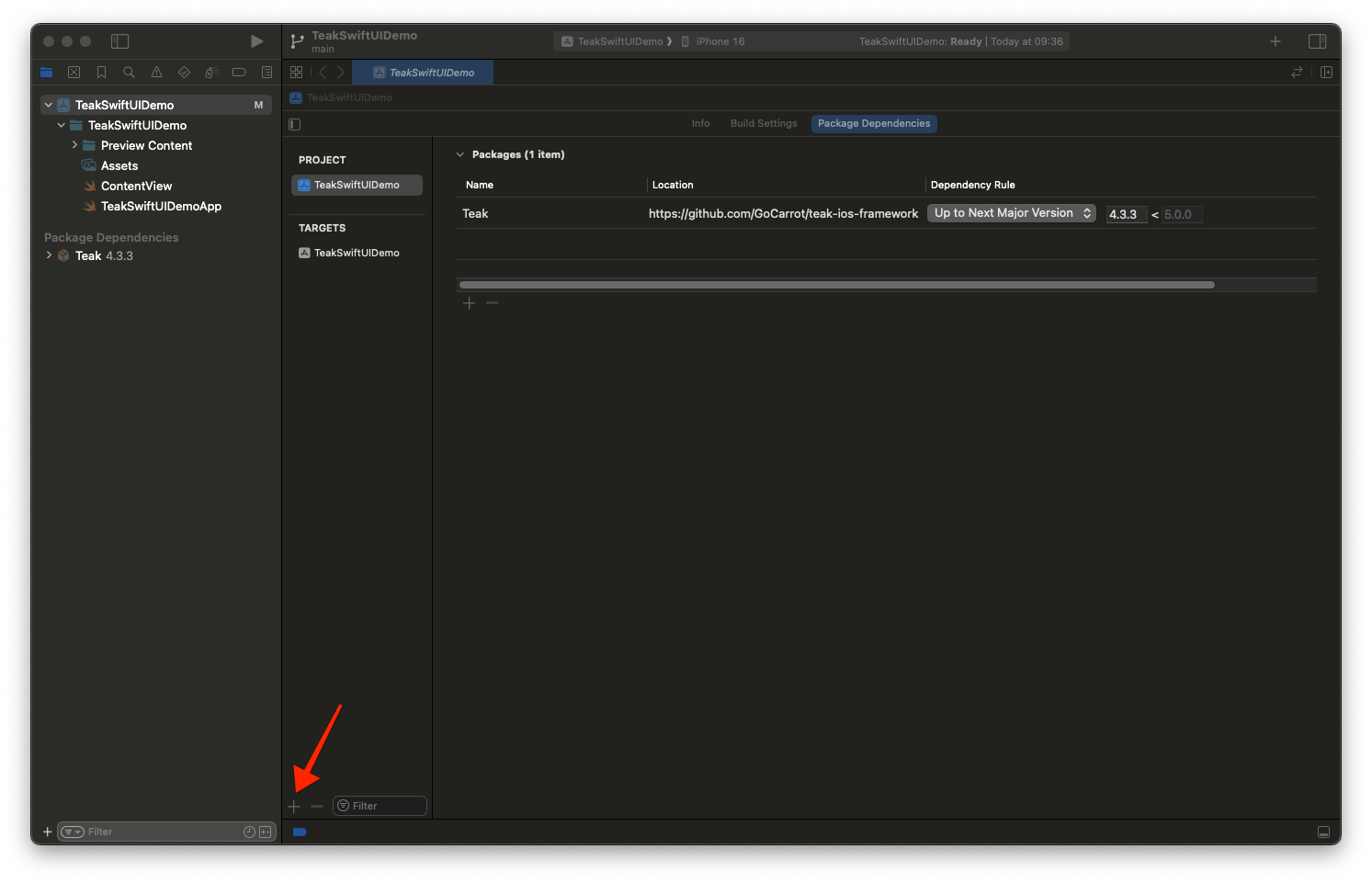
Click the + button to add a new target.
-
Select Notification Service Extension then Next
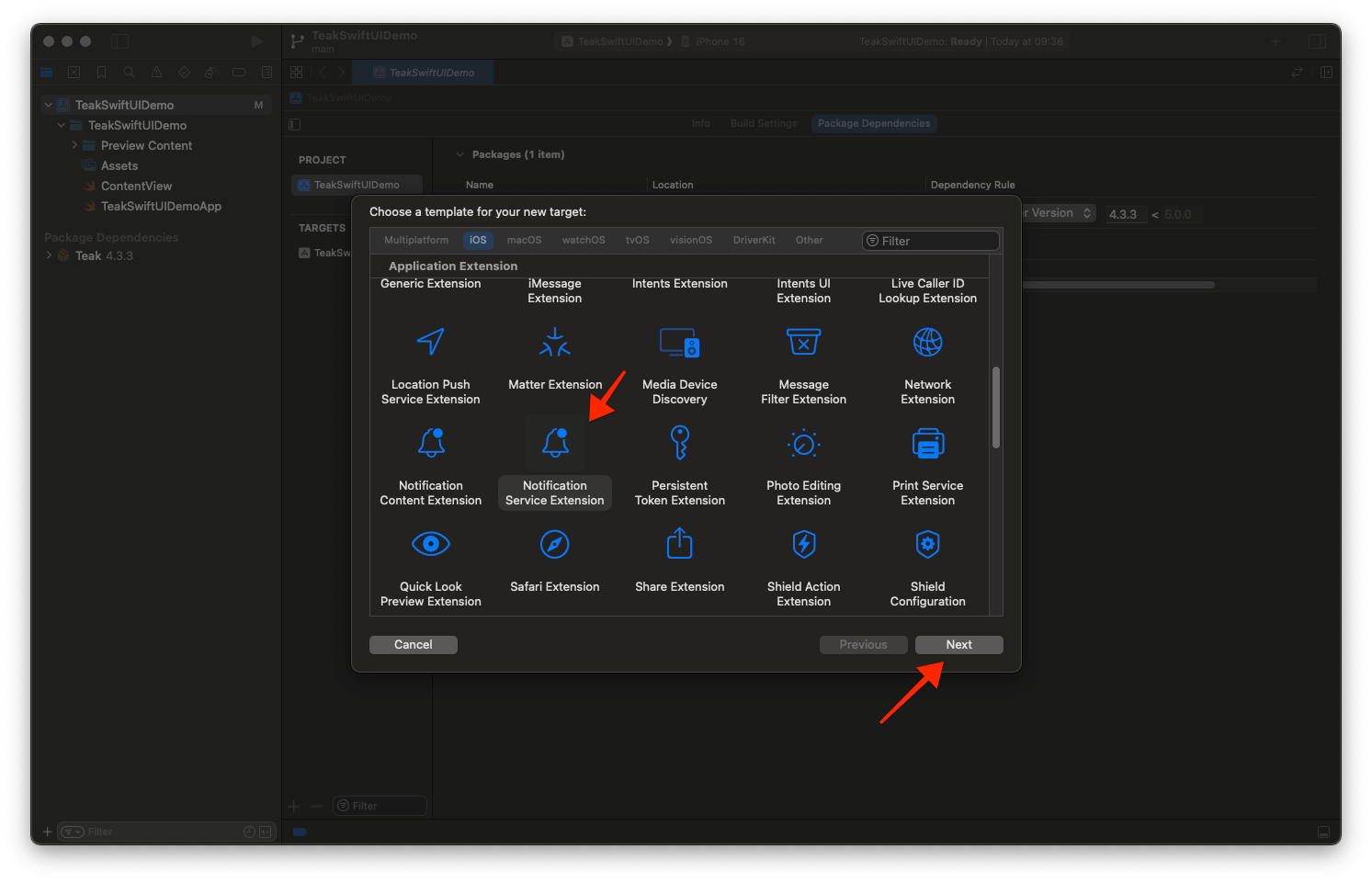
-
Enter the product name as TeakNotificationService and click Finish
Do not active the scheme on the dialog that is shown after clicking Finish.
Press Don’t Activate on the Activate scheme prompt.
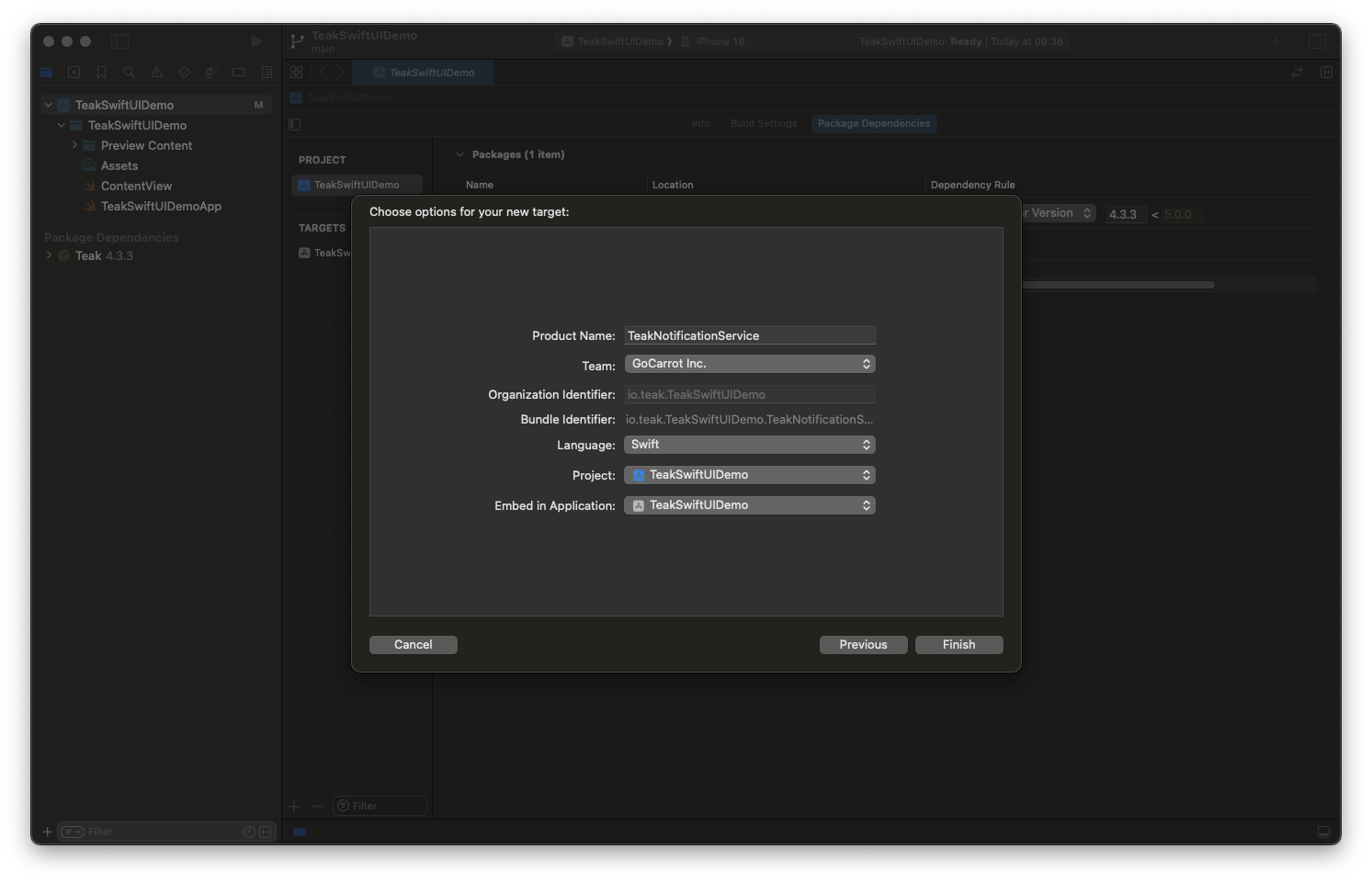
-
Open the NotificationService file and replace its contents with
Notification Serviceimport TeakExtension class NotificationService: TeakNotificationServiceCore { override func serviceExtensionTimeWillExpire() { super.serviceExtensionTimeWillExpire() } }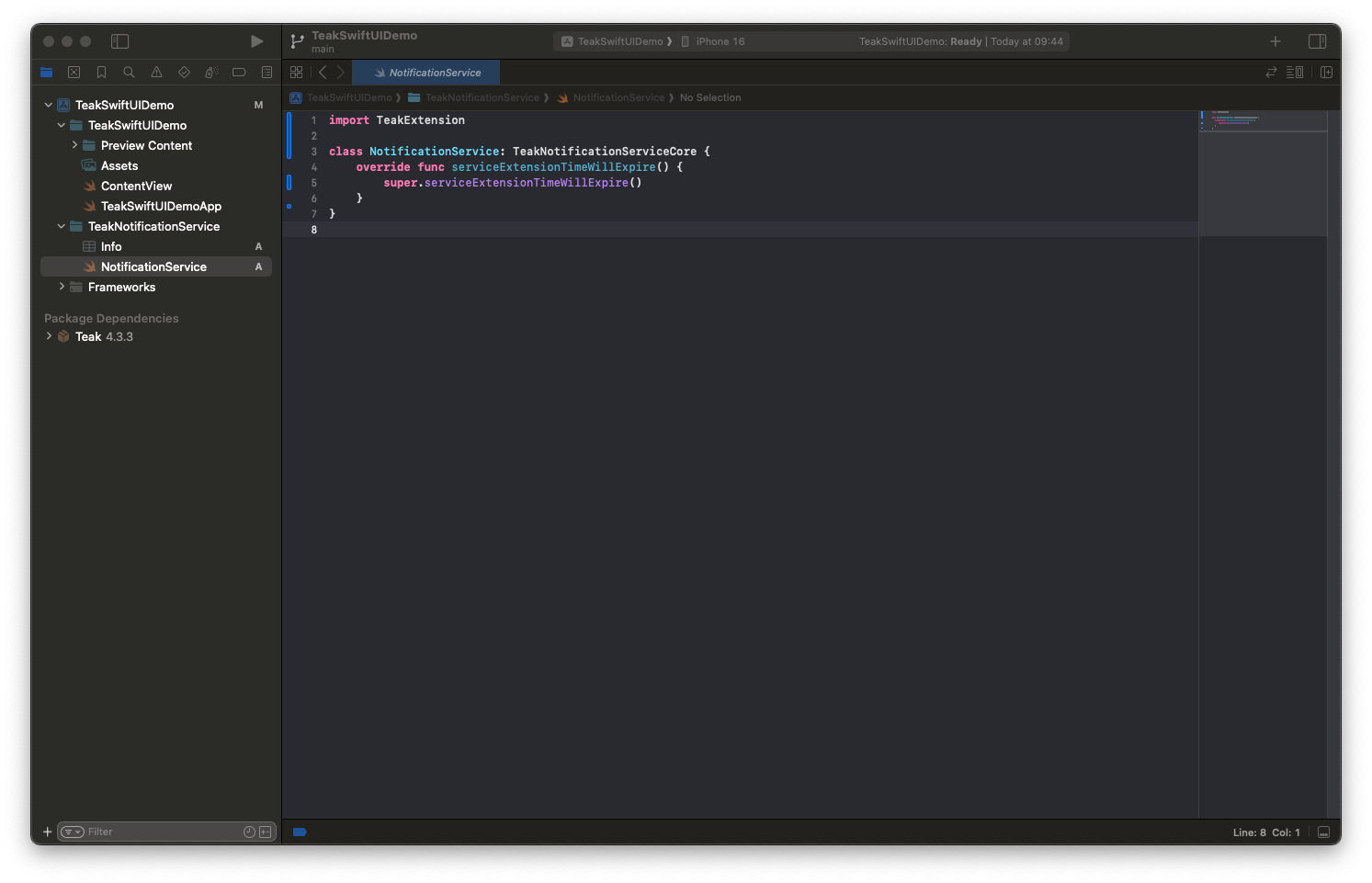
-
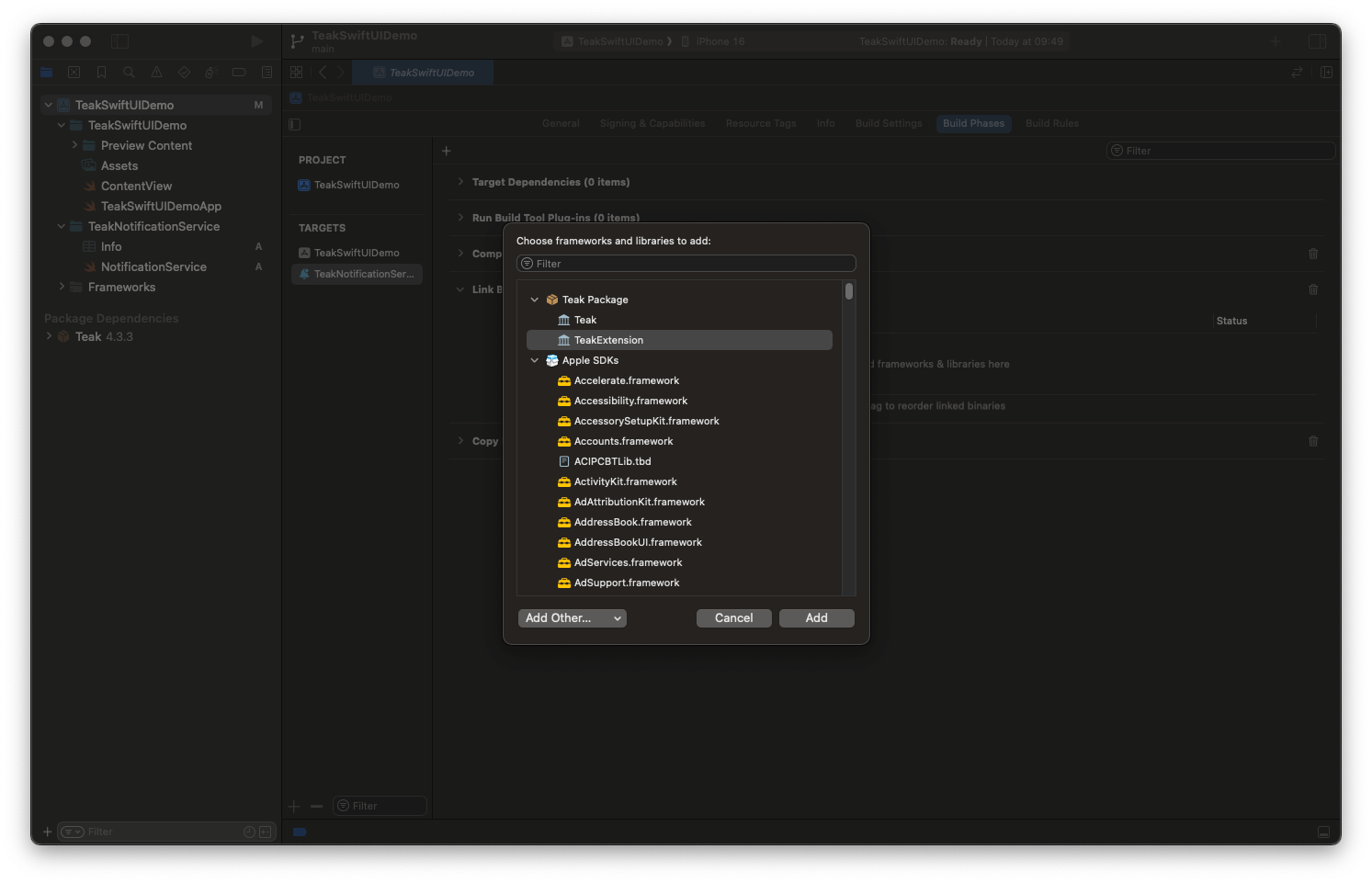
Select the TeakNotificationService target → Build Phases → Link Binary With Libraries → +
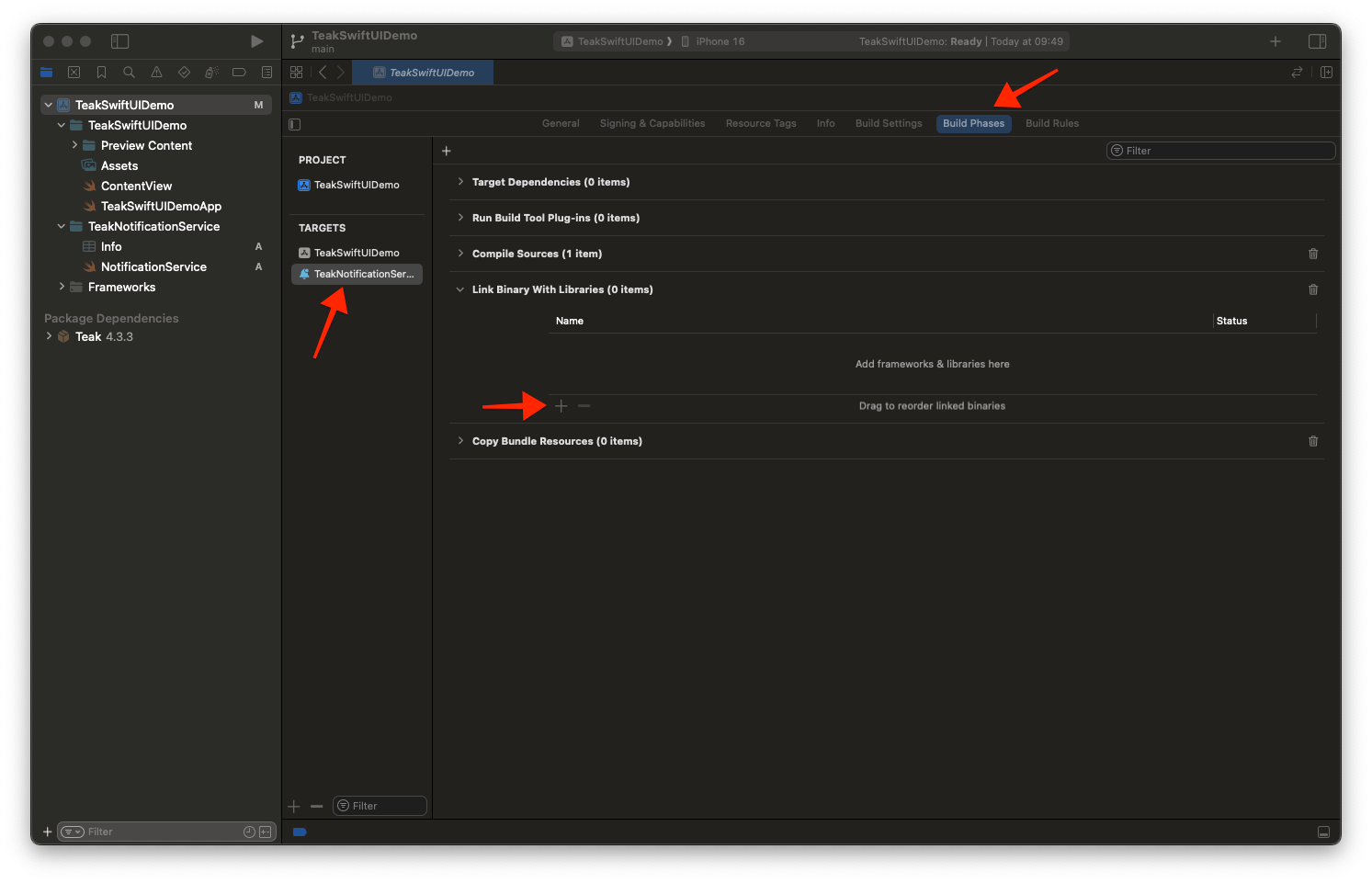
-
Select Teak Extension and click Add
-
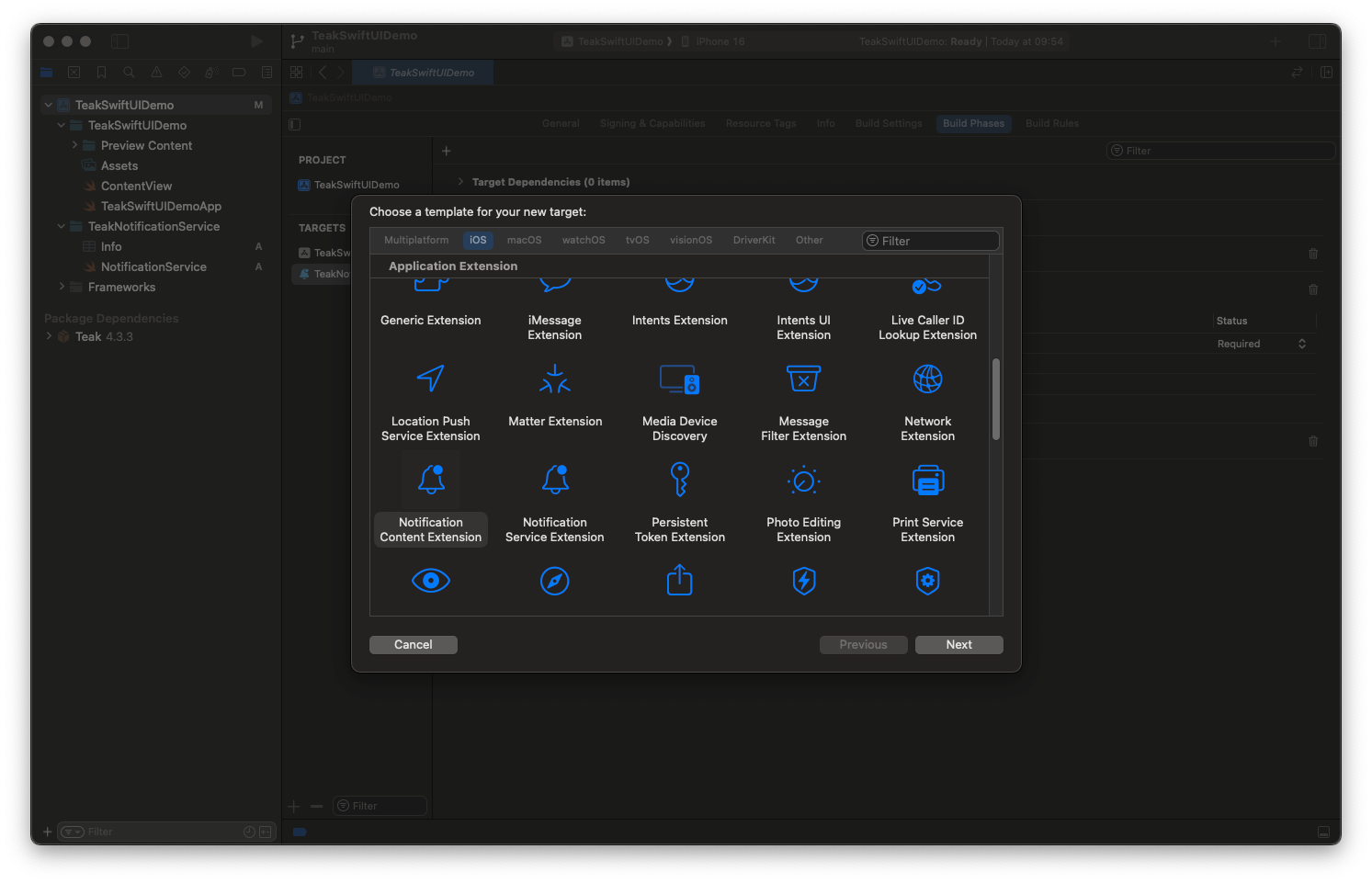
Click the + button to add a new target.
-
Select Notification Content Extension then Next
-
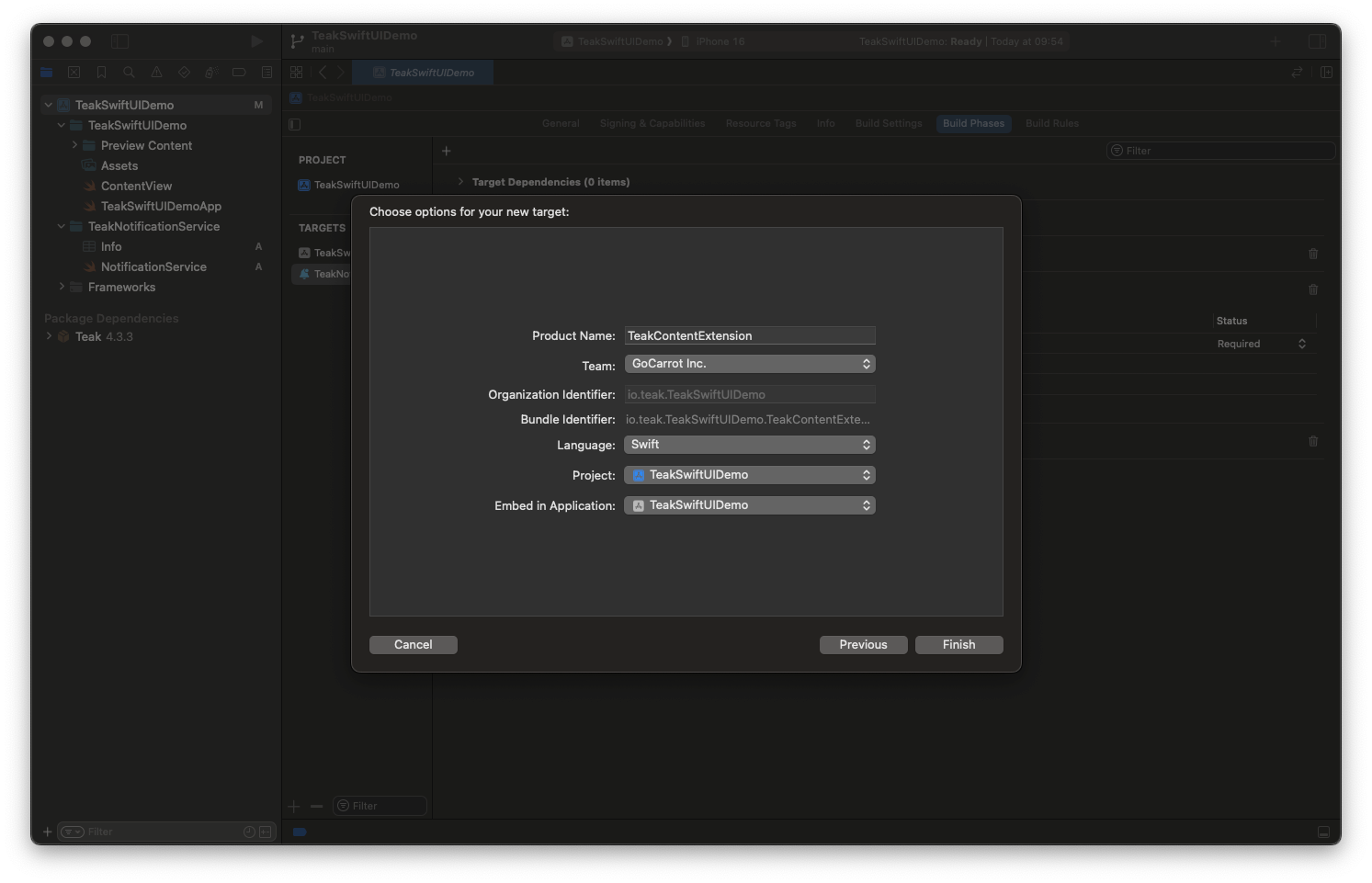
Enter the product name as TeakContentExtension and click Finish
Do not active the scheme on the dialog that is shown after clicking Finish.
Press Don’t Activate on the Activate scheme prompt.
-
Open the NotificationViewController file and replace its contents with
Notification View Controllerimport TeakExtension class NotificationViewController: TeakNotificationViewControllerCore { override func viewDidLoad() { super.viewDidLoad() } }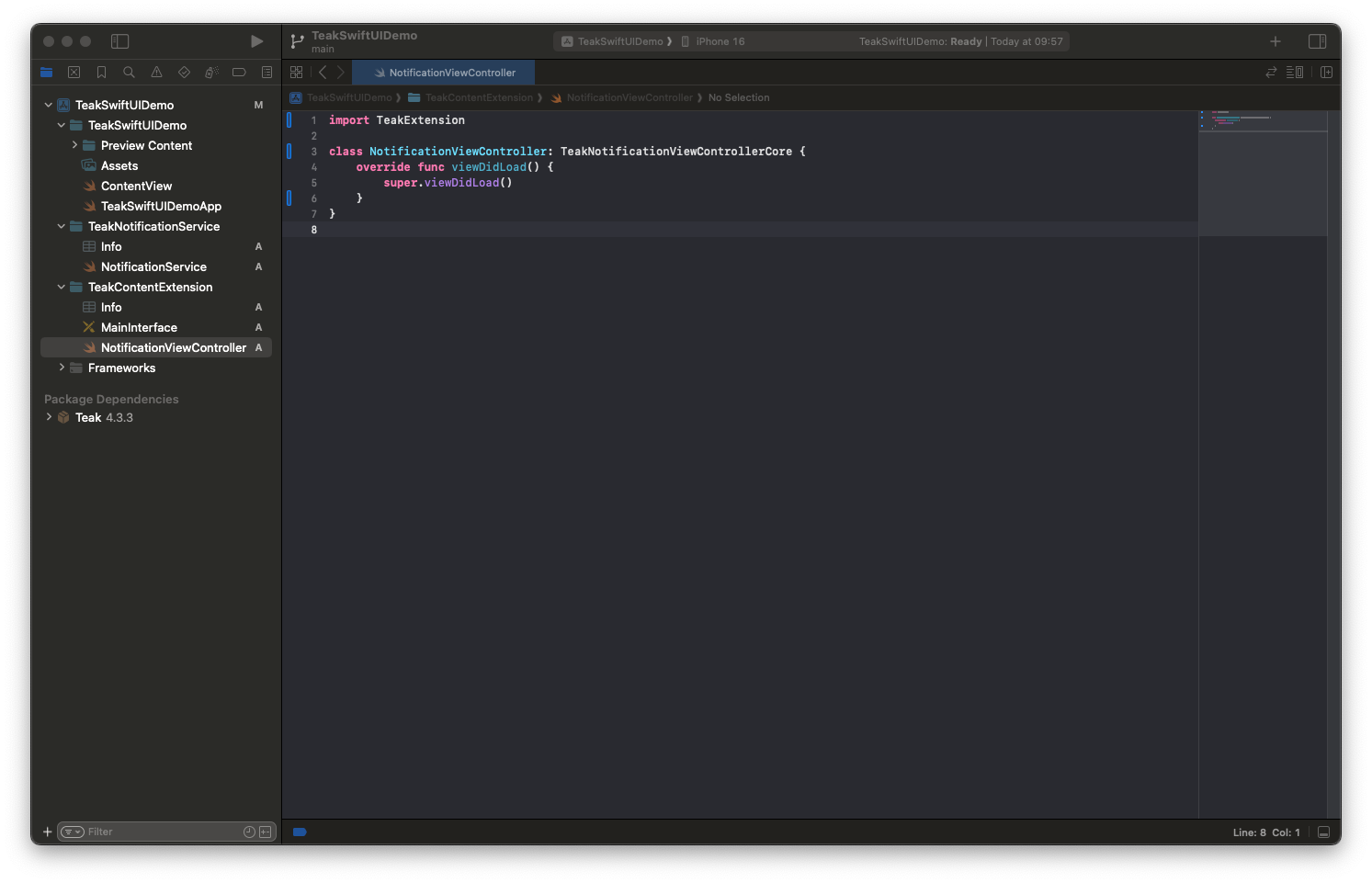
-
Open the Info file with an External Editor
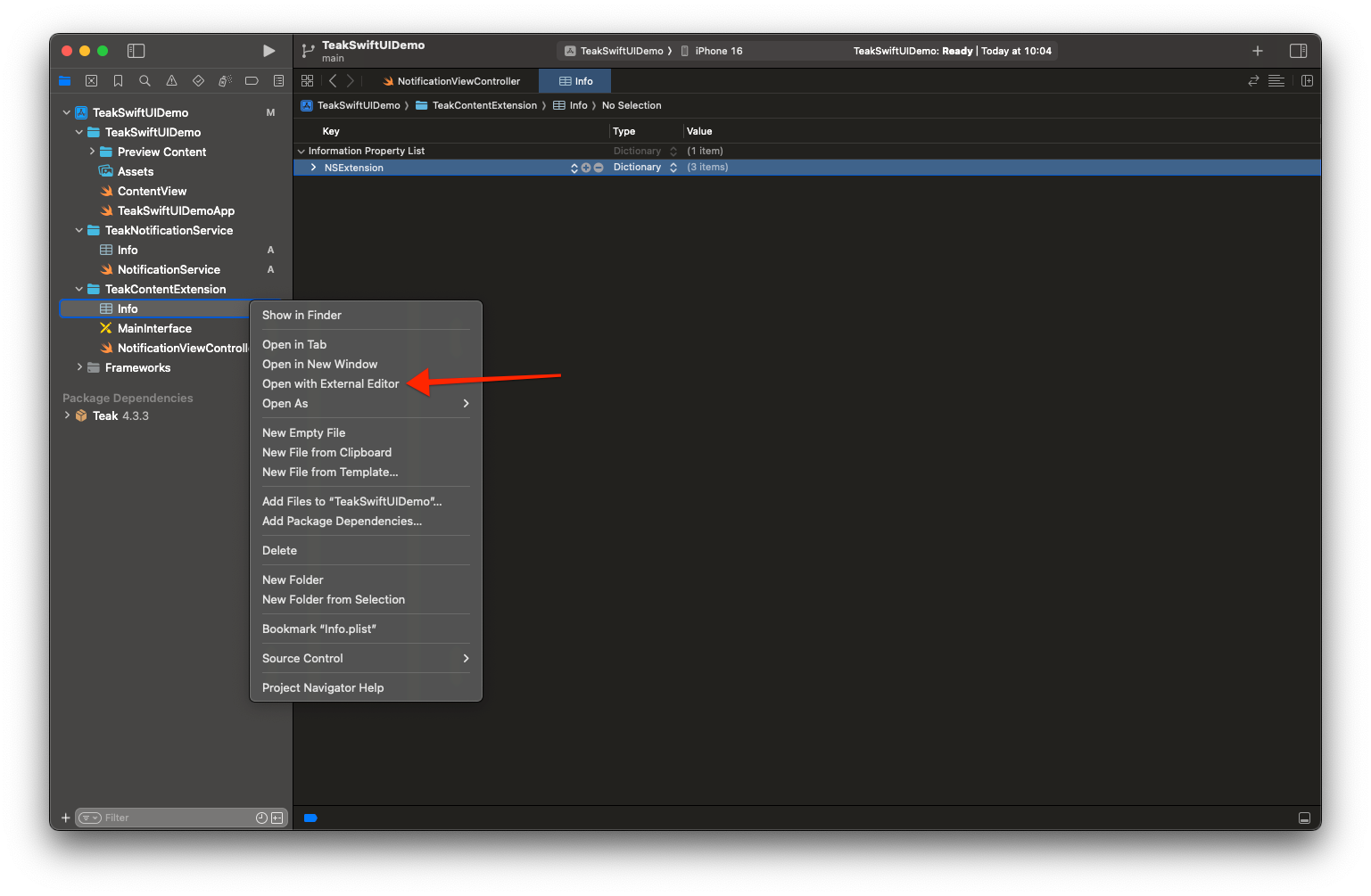
Replace its contents with
Content Extension Info.plist<?xml version="1.0" encoding="UTF-8"?> <!DOCTYPE plist PUBLIC "-//Apple//DTD PLIST 1.0//EN" "http://www.apple.com/DTDs/PropertyList-1.0.dtd"> <plist version="1.0"> <dict> <key>NSExtension</key> <dict> <key>NSExtensionAttributes</key> <dict> <key>UNNotificationExtensionCategory</key> <array> <string>TeakNotificationContent</string> <string>TeakNotificationPlayNow</string> <string>TeakNotificationClaimForFree</string> <string>TeakNotificationBox123</string> <string>TeakNotificationGetNow</string> <string>TeakNotificationBuyNow</string> <string>TeakNotificationInteractiveStop</string> <string>TeakNotificationLaughingEmoji</string> <string>TeakNotificationThumbsUpEmoji</string> <string>TeakNotificationPartyEmoji</string> <string>TeakNotificationSlotEmoji</string> <string>TeakNotification123</string> <string>TeakNotificationFreeGiftEmoji</string> <string>TeakNotificationYes</string> <string>TeakNotificationYesNo</string> <string>TeakNotificationAccept</string> <string>TeakNotificationOkay</string> <string>TeakNotificationYesPlease</string> <string>TeakNotificationClaimFreeBonus</string> </array> <key>UNNotificationExtensionDefaultContentHidden</key> <false/> <key>UNNotificationExtensionInitialContentSizeRatio</key> <real>0.01</real> <key>UNNotificationExtensionUserInteractionEnabled</key> <true/> </dict> <key>NSExtensionPointIdentifier</key> <string>com.apple.usernotifications.content-extension</string> <key>NSExtensionPrincipalClass</key> <string>$(PRODUCT_MODULE_NAME).NotificationViewController</string> </dict> </dict> </plist> -
Select the TeakContentExtension target → Build Phases → Link Binary With Libraries → +
-
Select Teak Extension and click Add