Install the Teak SDK
It’s time to configure your project for push notifications and install the Teak SDK.
Adding Required Capabilities
-
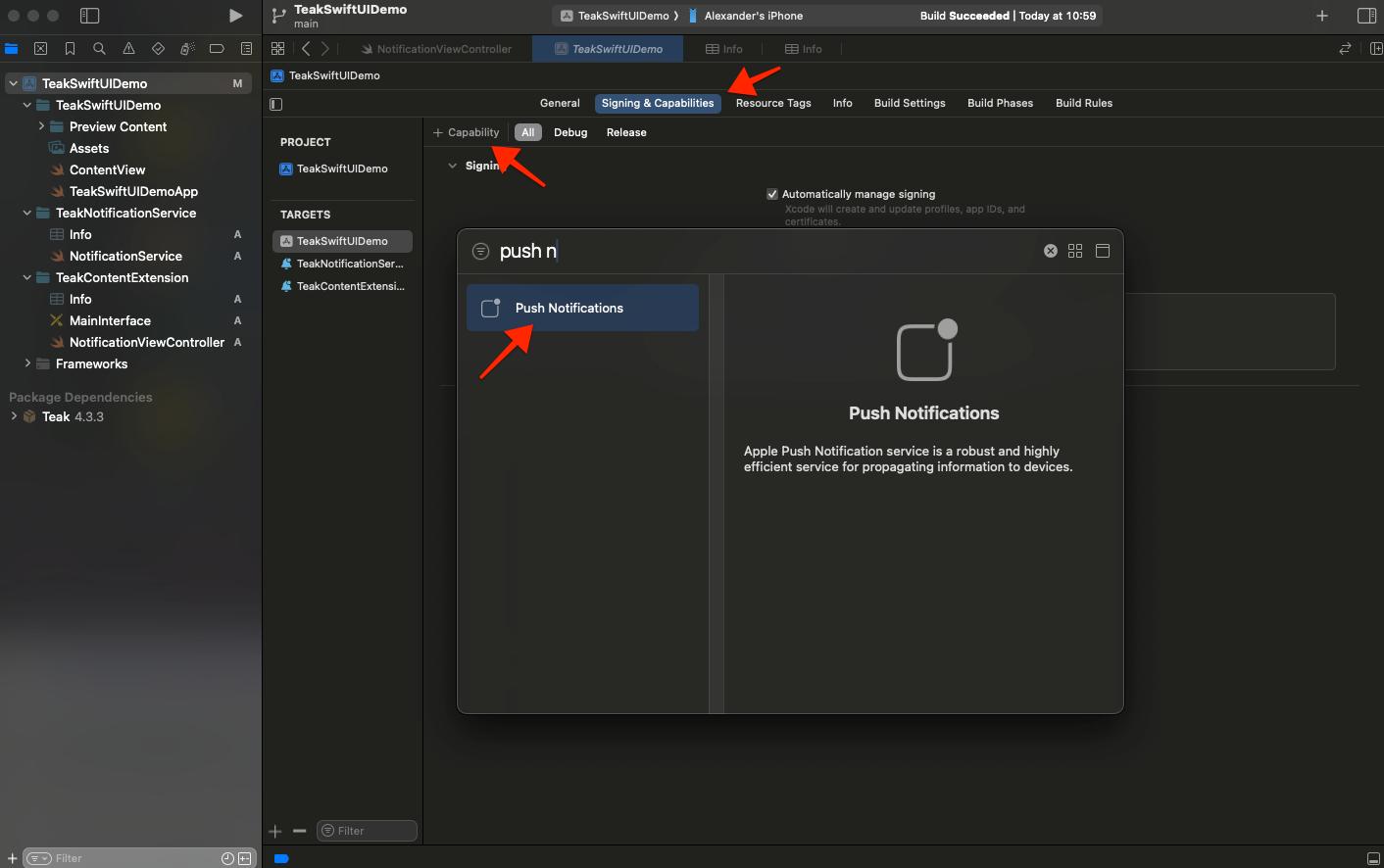
With your Xcode Project open, select your app target → Signing & Capabilities
Click + Capability and add Push Notifications
-
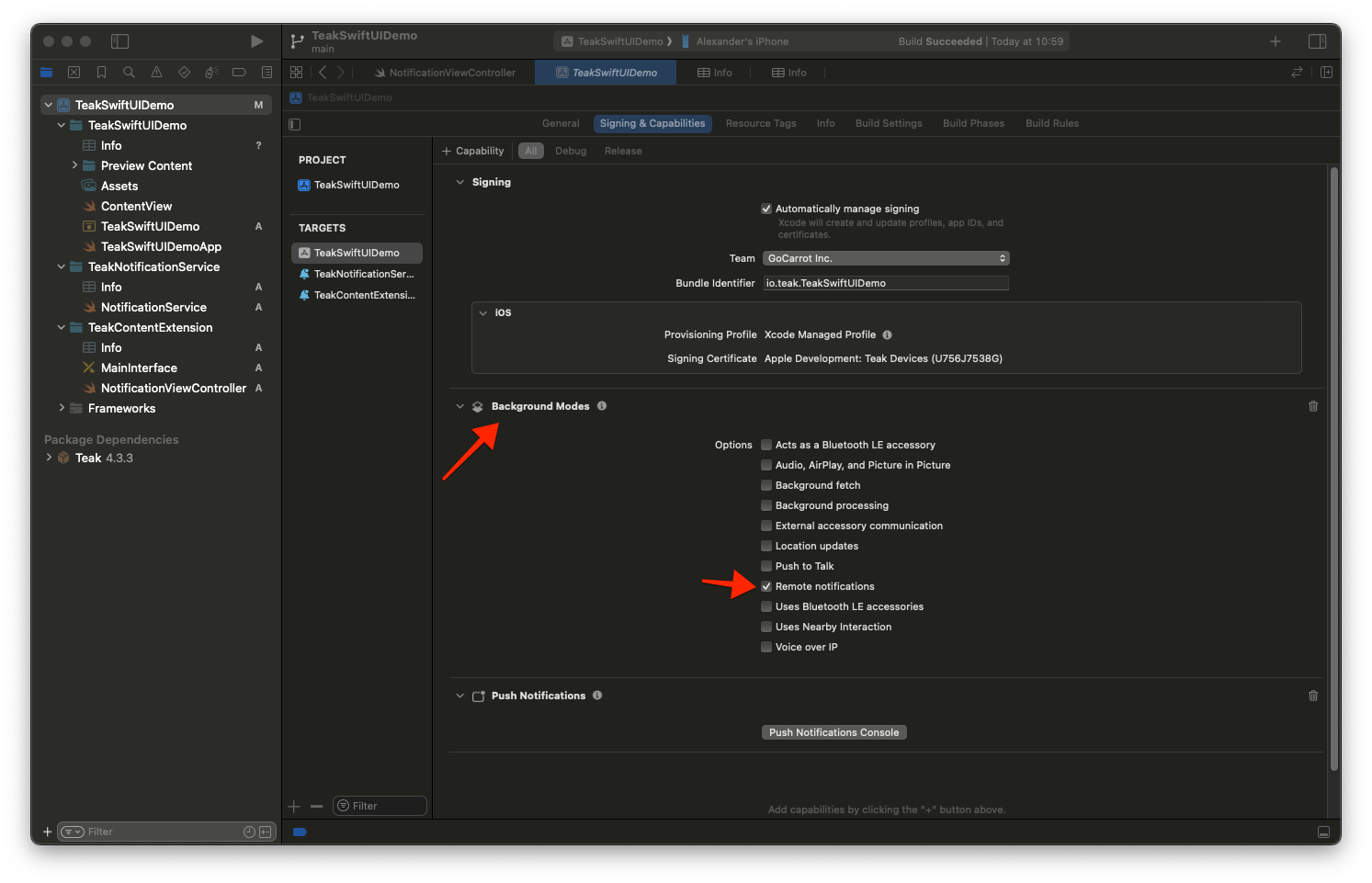
Click + Capabiity again and add Background Modes. Then check Remote notifications
-
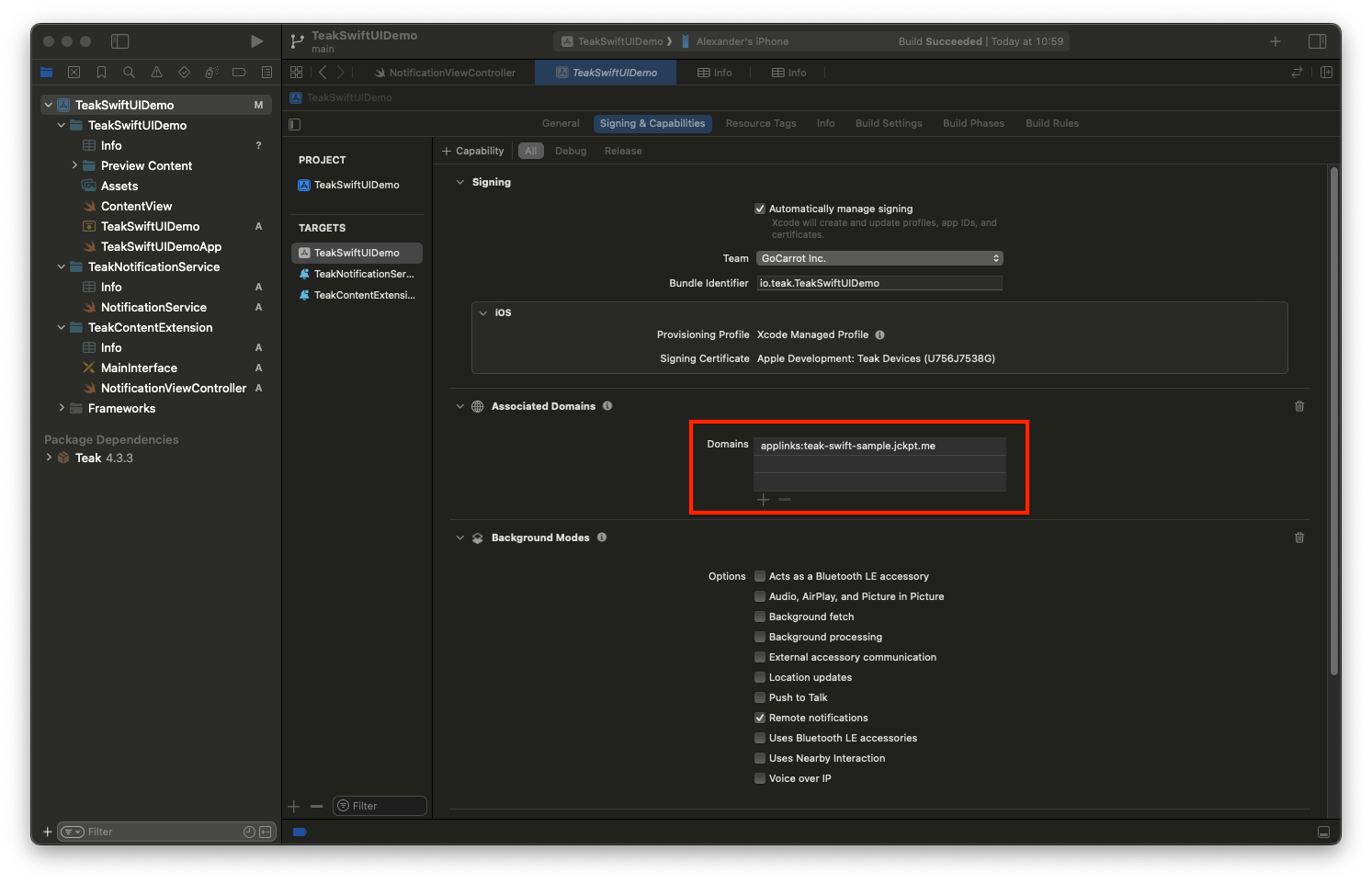
Click + Capbility again and add Associated Domains
Add applinks:<ShortLink Domain from the Teak Dashboard> as an associated domain
-
Change to the Info tab and add a new URL Type.
Set the Identifier to Teak
Set the URL Schemes to teakYOUR_APP_ID, where YOUR_APP_ID should be the Teak App ID for your game on the Teak Dashboard.
Set the Role to Viewer image::quickstart/url-scheme.png[]
Add the Teak SDK to a SwiftUI Application
The Teak SDK can be added as a Swift Package or through CocoaPods. We recommend using the Swift Package Manager if you are not already using CocoaPods.
Continue with